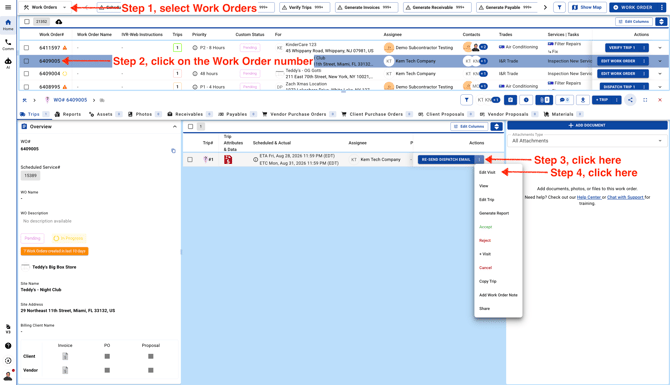
- Go to Work Orders page and go to Work Order details.
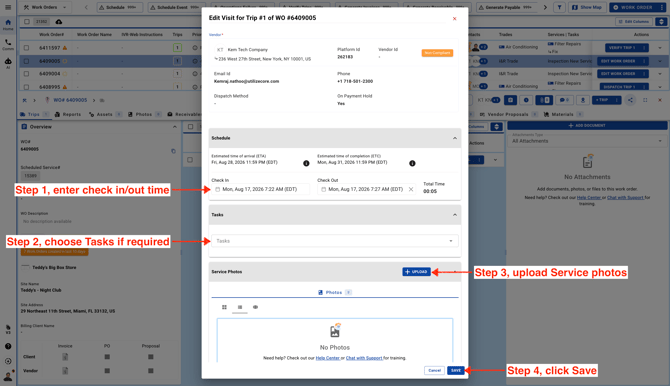
- Enter the service details and click **Save**. Just keep in mind that if you enter a Check In time and save, the trip status will update to **Checked In**. If you enter both Check In and Check Out times and save, the trip status will update to **Verification Required**.