- Please sign in to your account to get started. Your UtilizeCore account URL is your company name followed by ".utilizecore.com." For example, if your company name is KFC, your login URL would be kfc.utilizecore.com.
Head to the **Receivable Invoices** page. If you have multiple invoices, use the filters to quickly find the ones waiting for confirmation. You can also check out this article for a helpful guide on using filters.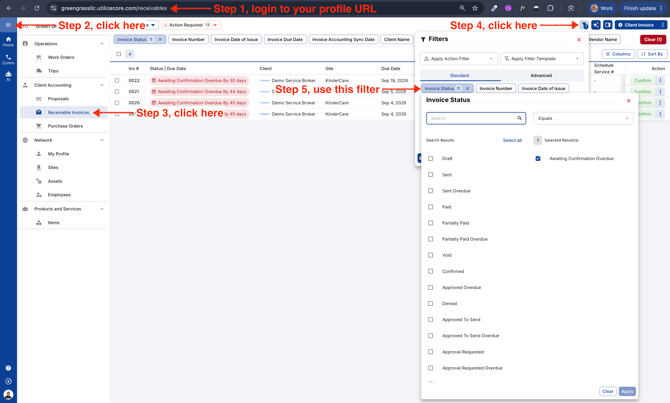
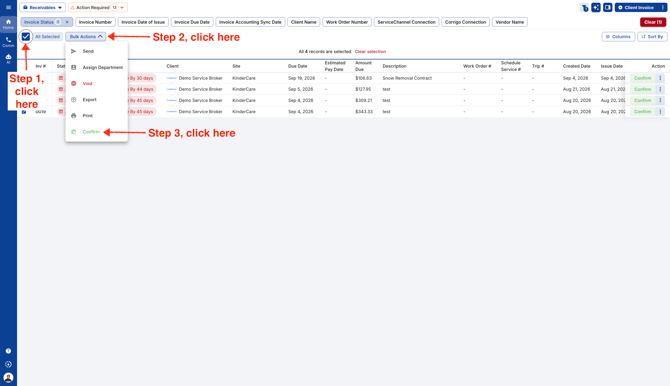
- Select all the Receivables and click on Confirm.
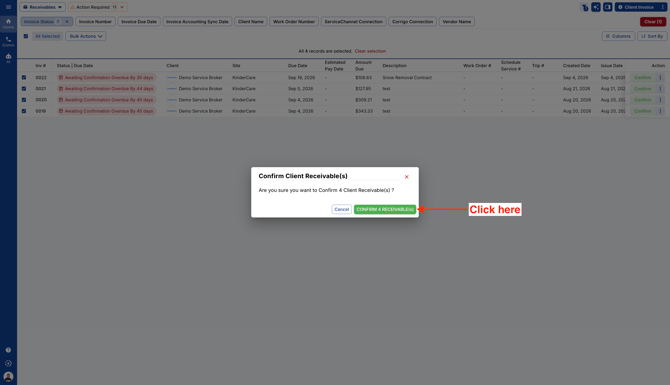
- Confirm action.
English
