- Please sign in to your account to get started. Your UtilizeCore account URL is your company name followed by ".utilizecore.com." For example, if your company name is KFC, your login URL would be kfc.utilizecore.com. Go to Work Orders page and open a Work Order.
From Right Preview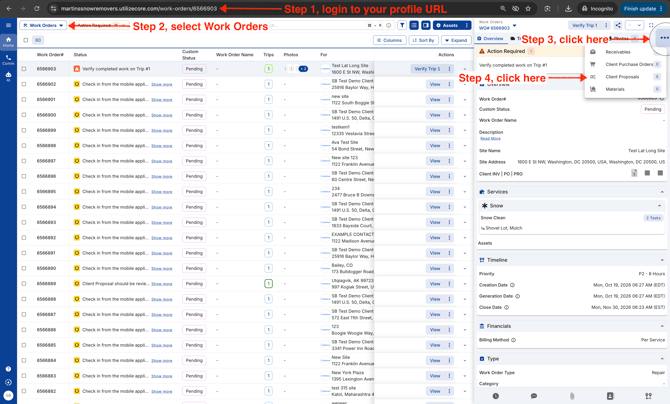
From Wide Right Preview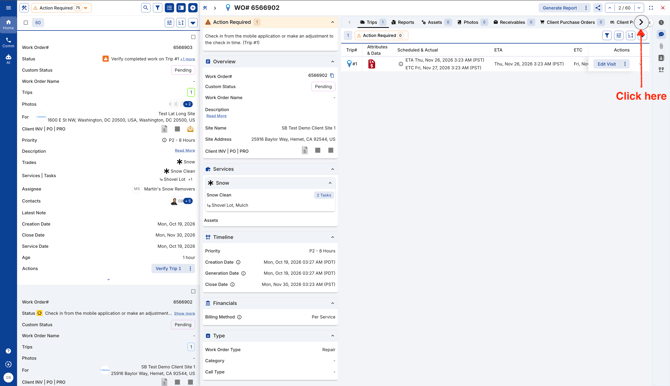
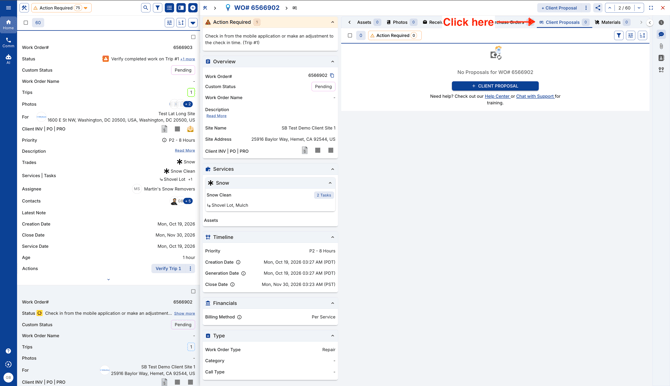
From Bottom Preview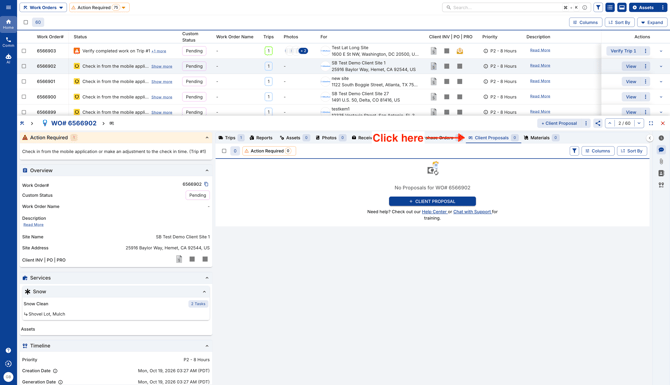
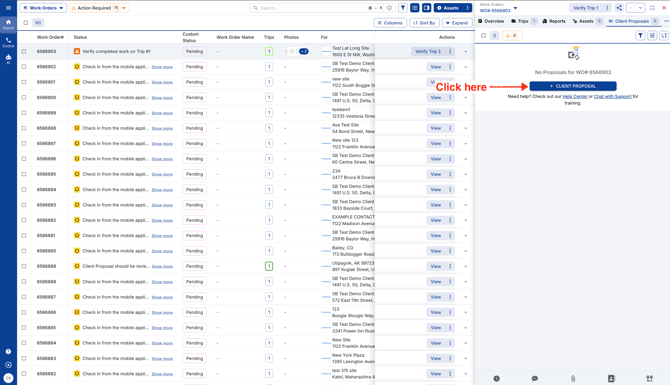
- Click on the blue button "+ Client Proposal."
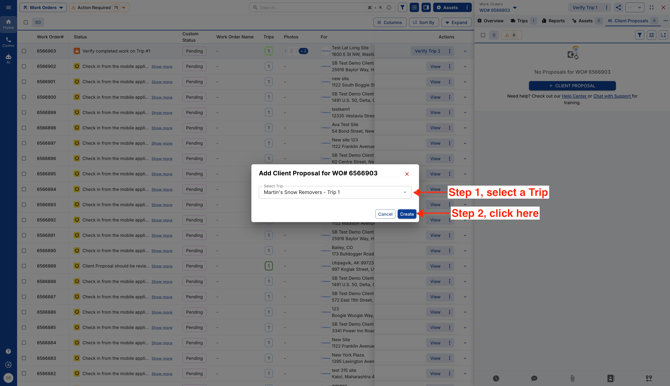
- Select a Trip and click Create.
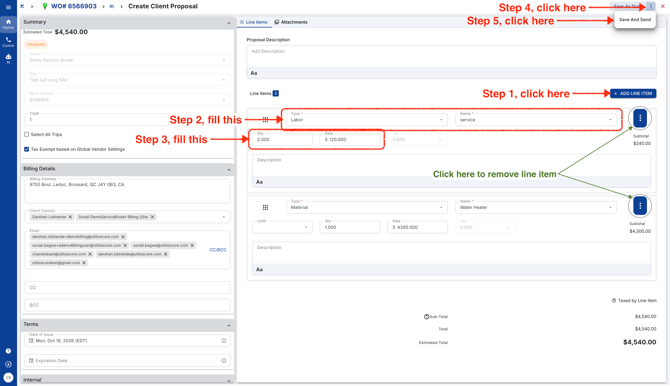
- Add one or more line items, then click "Save and Send" when you’re ready to share your Client Proposal. Need more time? Click "Save and Draft" to keep it hidden from your client and come back to edit it later. Be sure to review your proposal before sending, as you won’t be able to edit it once it’s sent.
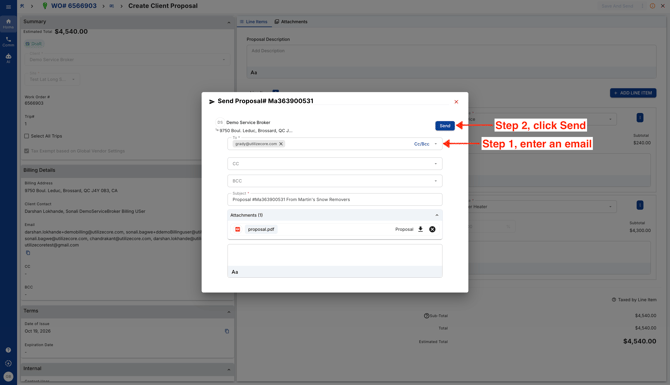
- Enter one or multiple emails and click Send.
English
