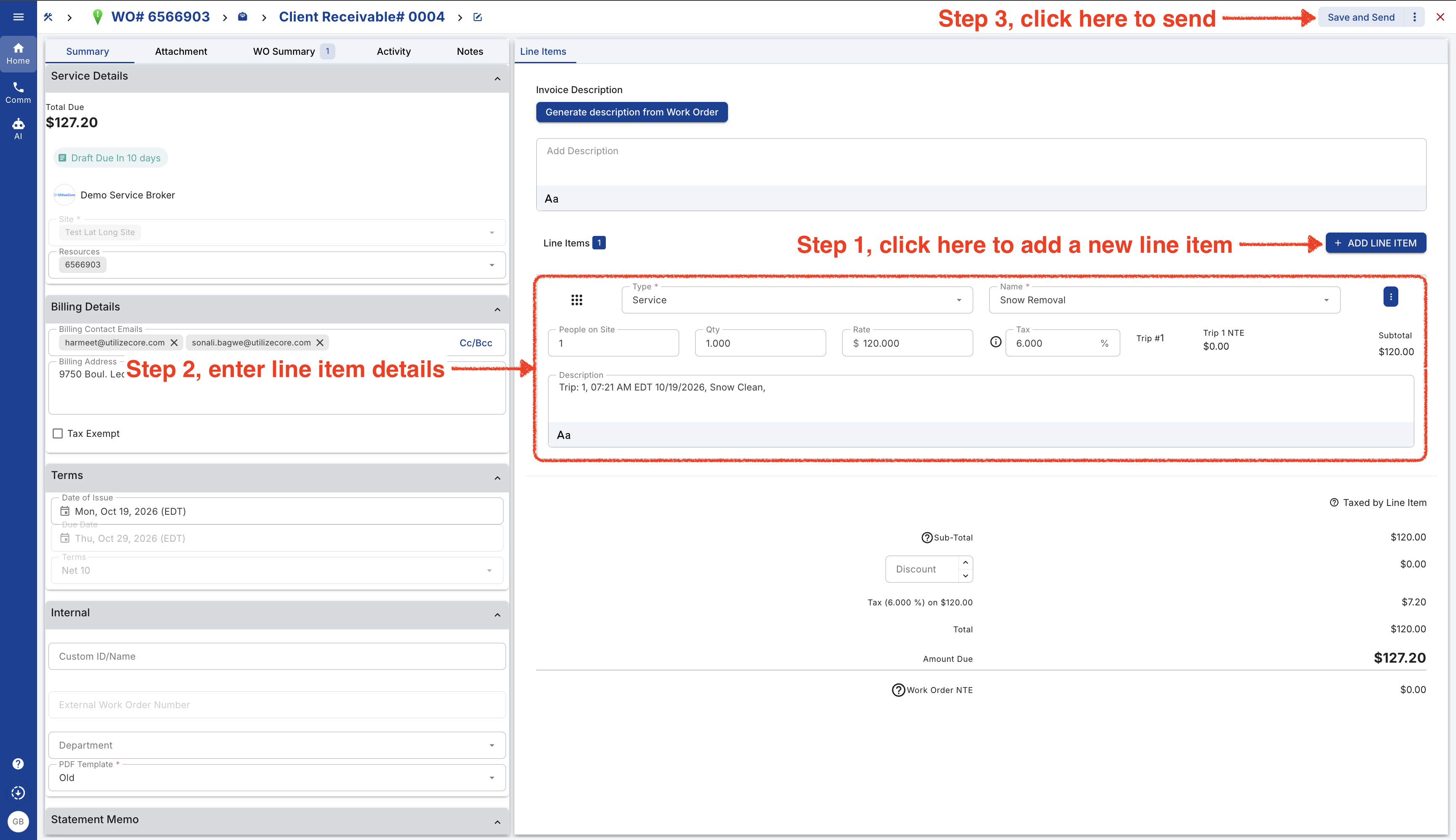
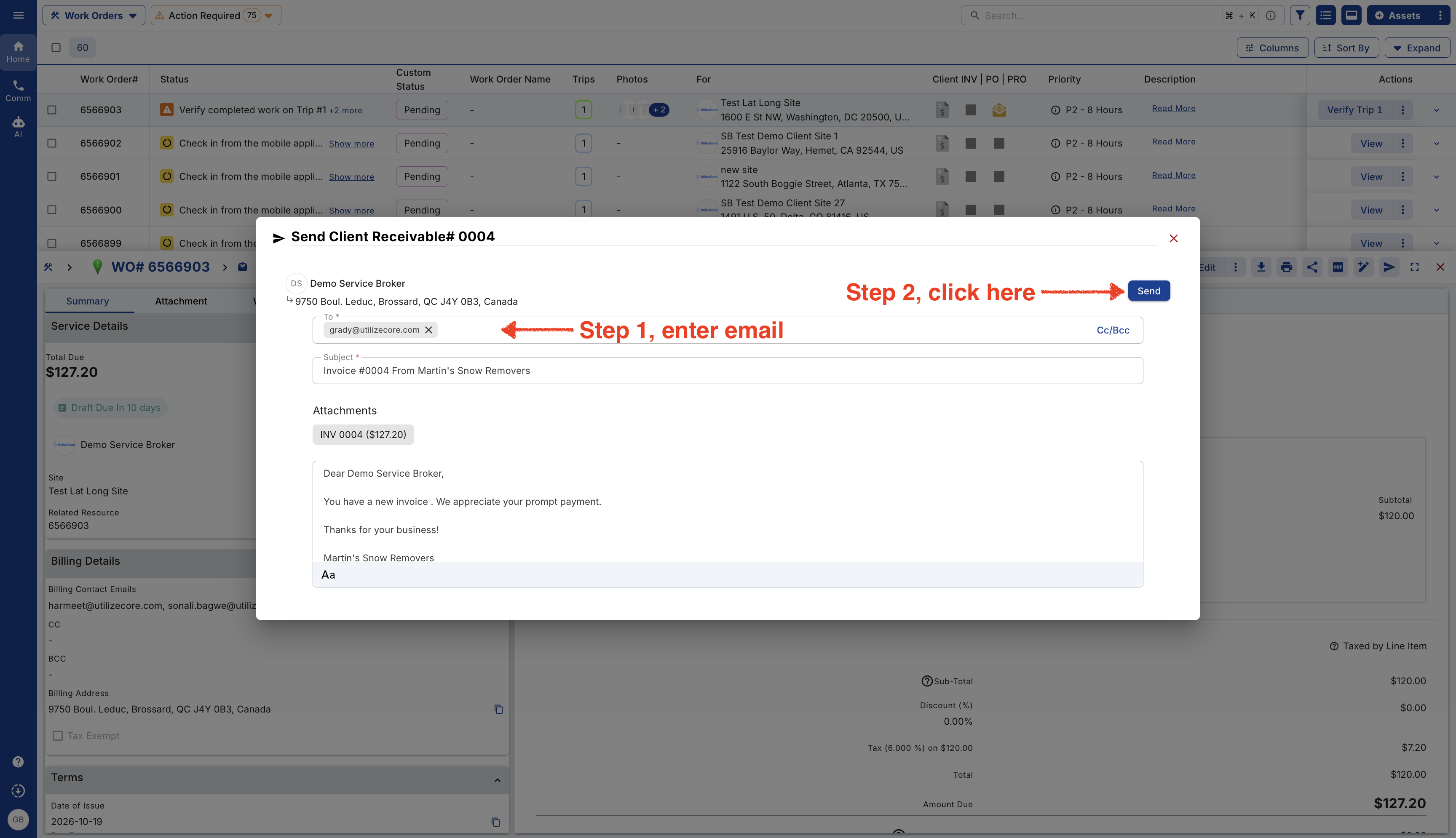
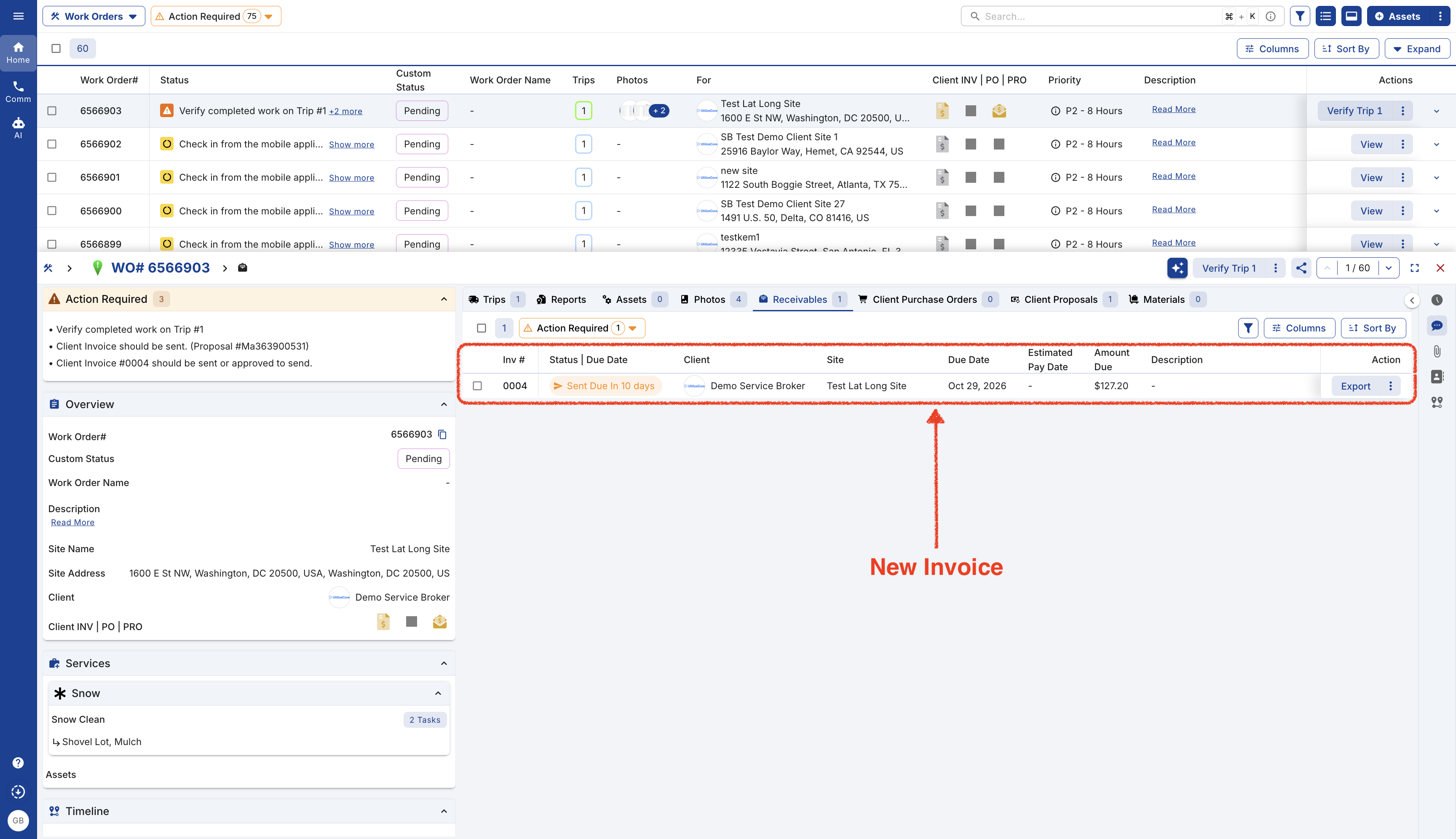
- Start by logging in to your company’s UtilizeCore account. UtilizeCore automatically sets up your account URL when you sign up. For example, if your company is called Martin’s Snow Removers, your URL would be martinssnowremovers.utilizecore.com, unless you chose a different URL name during signup. Go to Work Orders page and open Work Order details.
From Right Preview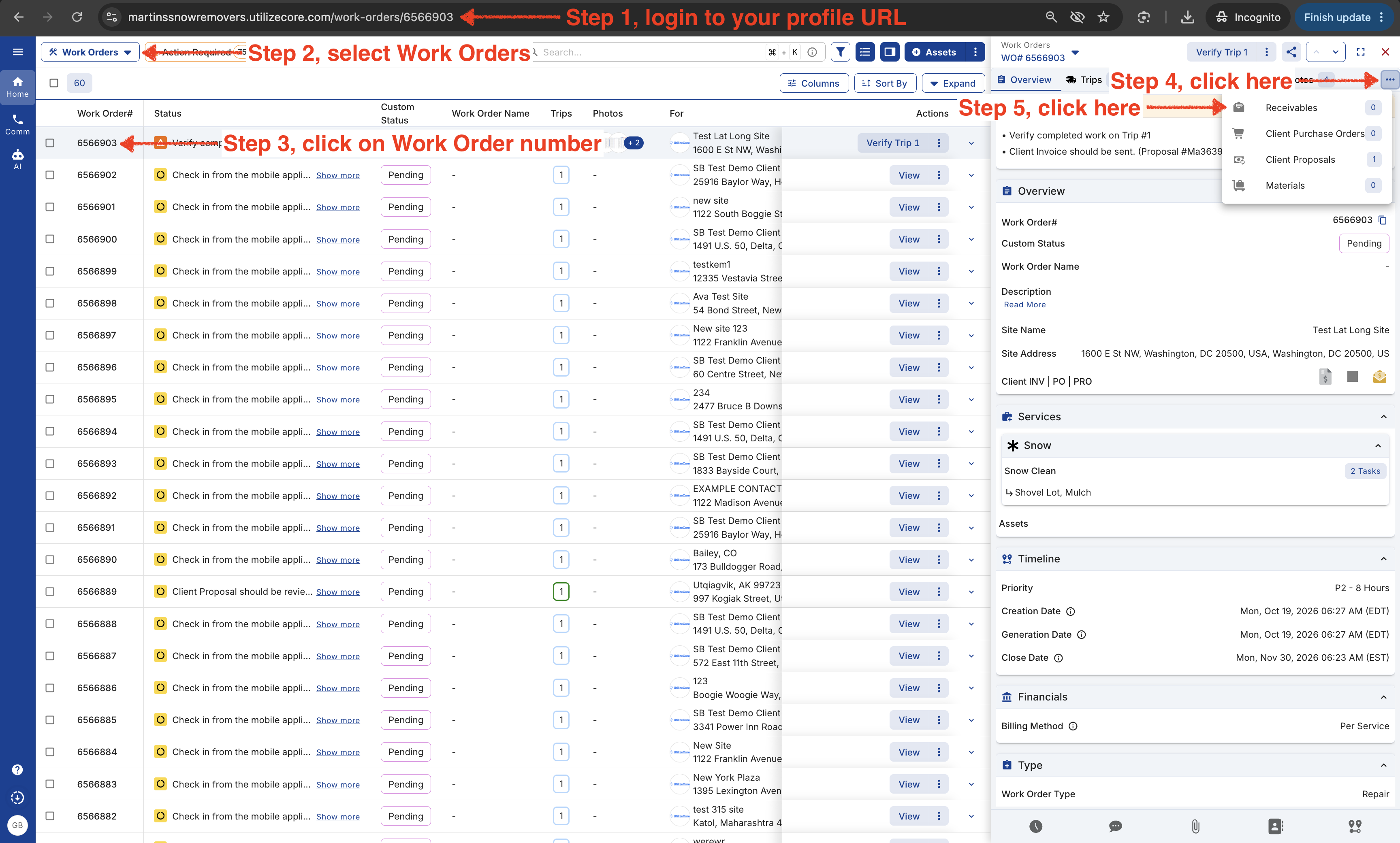
From Wide Right Preview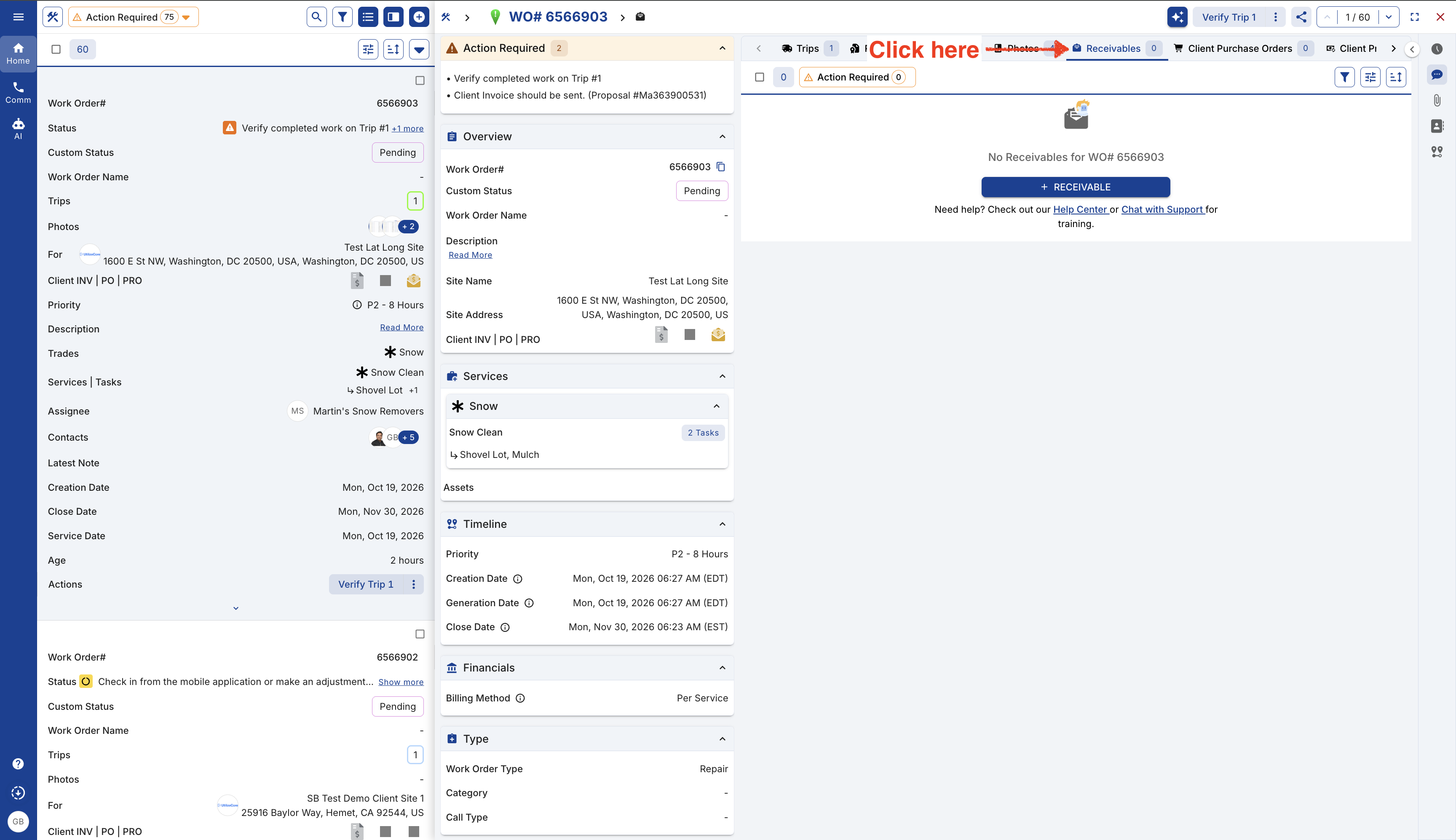
From Bottom Preview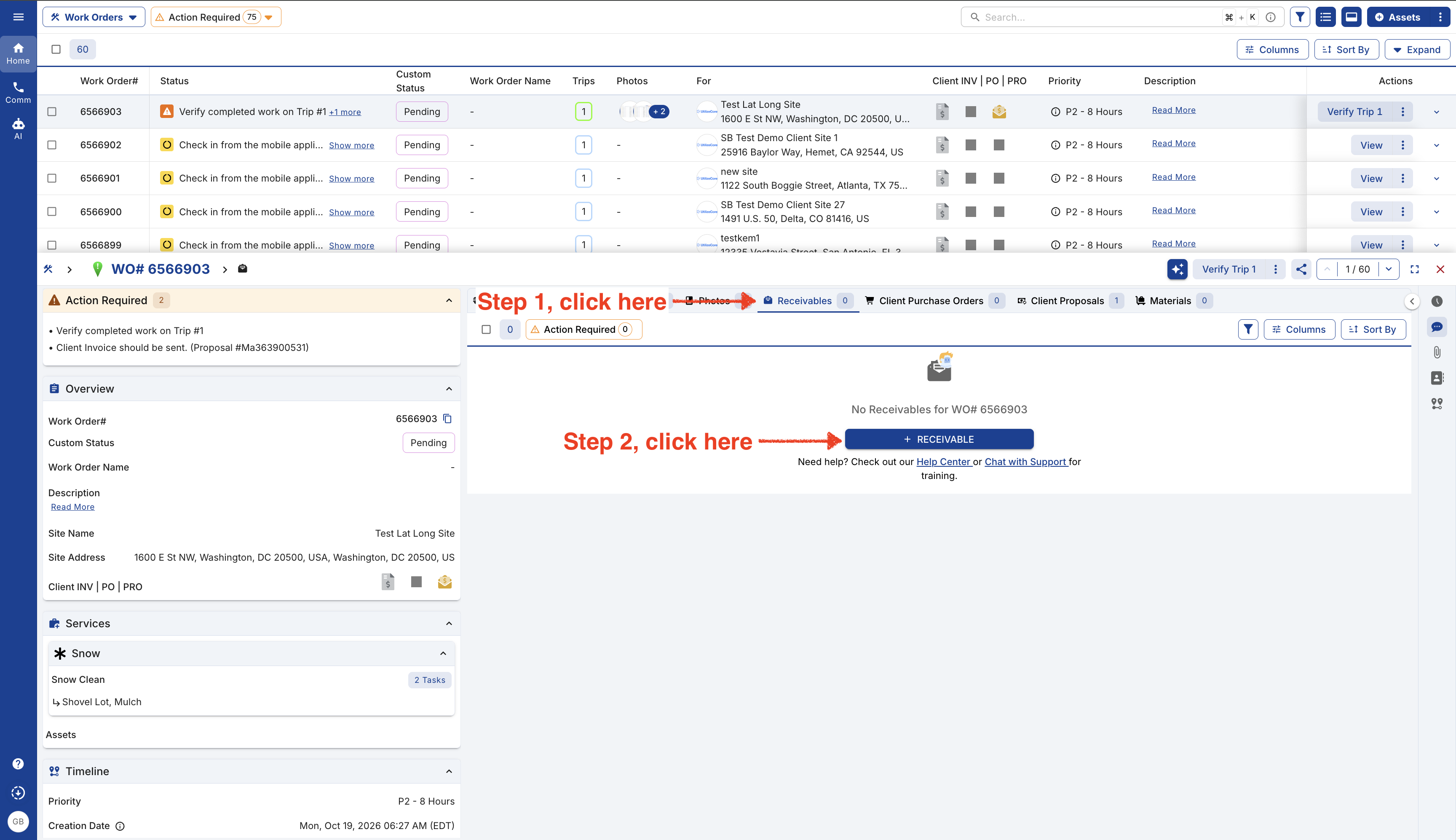
- If you save the invoice as a draft, you can come back and edit it later, and it won’t be visible to your clients. Once you send the invoice, it will be visible to your client and can no longer be edited.