
1. Introducing Home
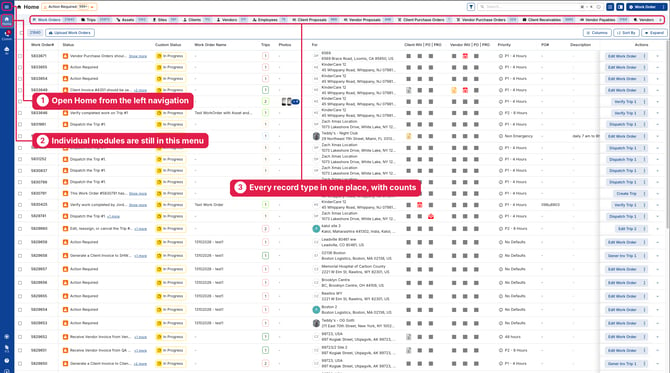
We’re excited to introduce Home, a single place to see all of your data in UtilizeCore. Click Home in the left navigation to get started.
- Every record type in one place: Work Orders, Trips, Assets, Sites, Clients, Vendors, Vendor Compliance, Employees, Proposals, Purchase Orders and Invoices, each in its own tab
- Counts at a glance: Every tab shows how many records match
- Action Required built in: See what needs attention across all of your work
2. One Filter Across Every Tab
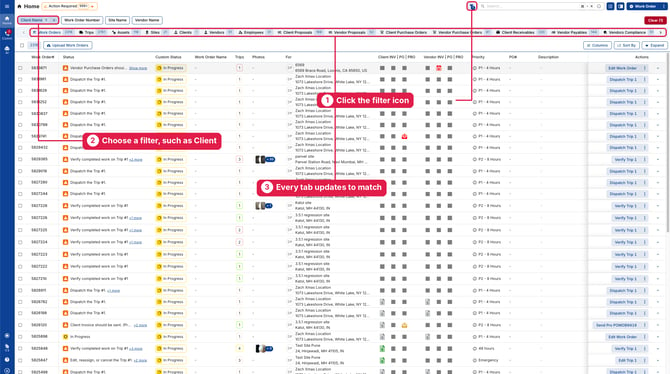
Apply a filter once, and every tab on Home updates to match. Your filters stay in place as you move between tabs.
- Click the filter icon at the top of Home.
- Choose a filter, such as Client, and make your selection.
- Every tab updates to show only matching records.
Example: Filter by Client
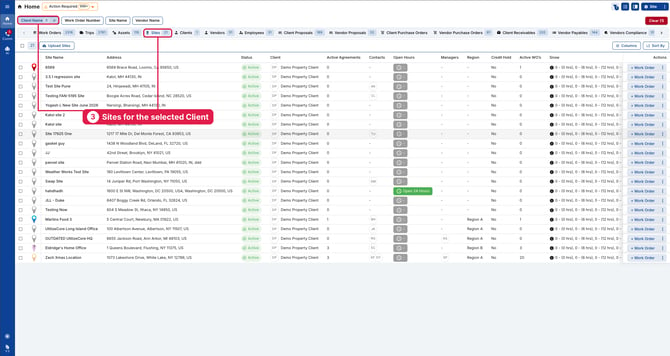
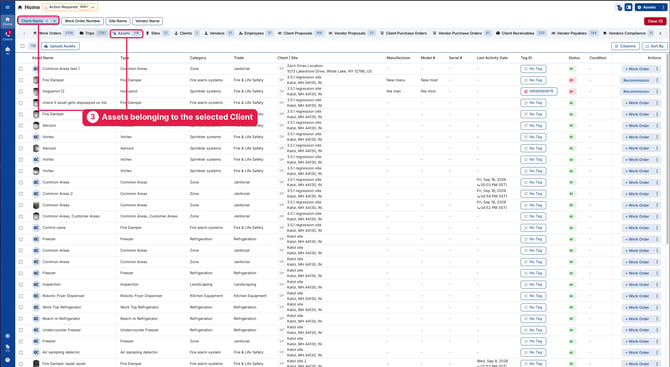
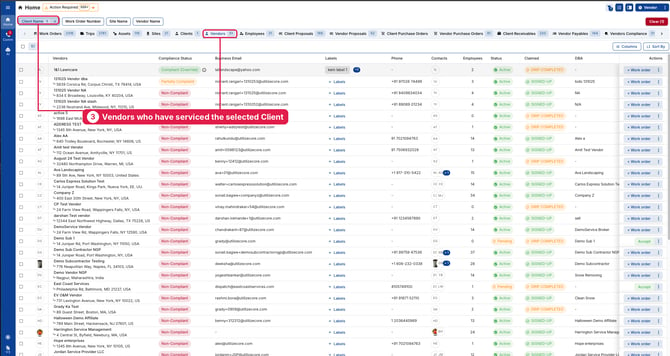
Select Example Client in the Client filter to see:
- Work Orders and Trips for Example Client
- Assets belonging to Example Client
- Sites for Example Client
- Vendors who have serviced Example Client through a UtilizeCore Work Order or Trip
- Financials, including Example Client’s Proposals, Purchase Orders and Invoices
3. Faster, Smarter Filters
We’ve rebuilt our filters from the ground up, making them faster and more powerful.
- Dependent filters are back: Your choice in one filter narrows the options in the next, so selecting a Client shows only that Client’s Sites
- Quick filters: Date, Status, Priority, Client, Vendor, Employee, Site and more, right at the top of the page
- Standard and Advanced filtering: Build simple filters or detailed conditions, and save them as templates to reuse
4. Everything You Know Is Still Here
Home is a new way to work, not a replacement. Your individual pages, such as Work Orders, Trips, Clients, Vendors, Proposals and Invoices, are still available from the menu in the top-left corner.
Any questions? Contact your Account Manager, or email support@utilizecore.com.